Disclosure: This article contains affiliate links. If you purchase through our links, we may earn a commission at no extra cost to you.
Podcasting used to be hard. You needed expensive microphones, a soundproof studio, and hours of patience to edit out “umms” and “ahhs.”
Not anymore. In 2025, Artificial Intelligence (AI) has completely changed the game.
We tested 50+ tools in the market to bring you this ultimate list of the 15 best AI podcast software. We evaluated them based on time-savings, output quality, and price.
🏆 Quick Summary: The Top 3 Must-Haves
| 🥇 Best All-in-One | Descript | Editing, Cloning & Transcription |
| 🥈 Best Recording | Riverside.fm | 4K Video & Studio Audio |
| 🥉 Best Marketing | OpusClip | Viral Shorts Generator |
Table of Contents
Part 1: Best AI Tools for Editing & Recording
This is the core of your production. These tools replace the traditional DAW (Digital Audio Workstation) with text-based editing.
1. Descript
The “Photoshop” for Audio & Video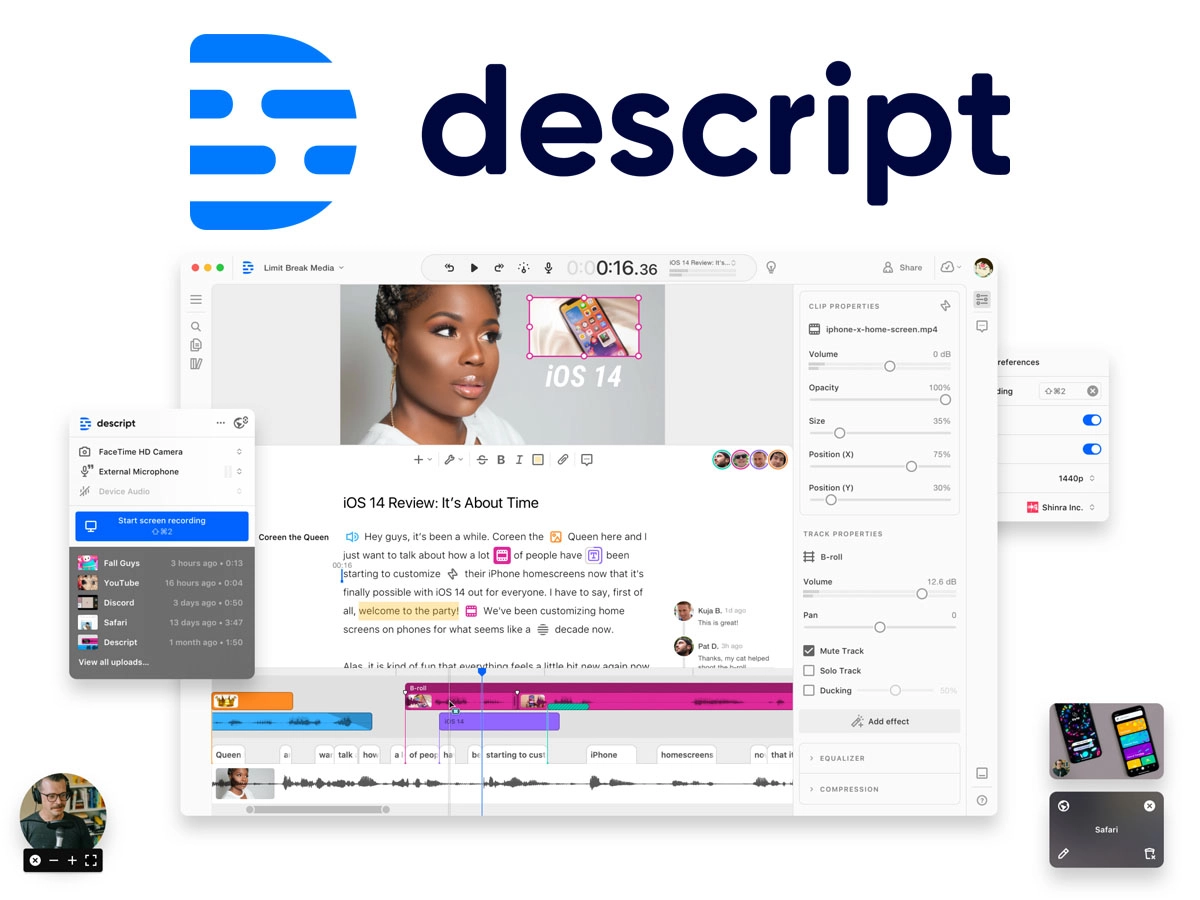
If you only choose one tool from this list, make it Descript. It completely reimagines editing. Instead of working with waveforms, you edit your podcast by editing text. If you delete a sentence in the transcript, it gets cut from the audio/video automatically.
- Studio Sound: Removes background noise/echo and regenerates voice quality (like a $2,000 mic).
- Overdub: Clone your voice to fix mistakes. Type a new word, and AI generates the audio in your voice.
- Filler Word Removal: Identifies and deletes “umms,” “ahhs,” and “likes” in one click.
- Eye Contact: For video podcasts, it uses AI to adjust your eyes to look at the camera, even if you were reading a script.
🎯 Best For: Creators who want to edit fast without learning complex audio engineering.
💰 Pricing: Free plan available; Creator plan starts at $12/month.
👉 Read our full Descript Review Try Descript for Free →2. Riverside.fm
The Studio-Quality Remote Recorder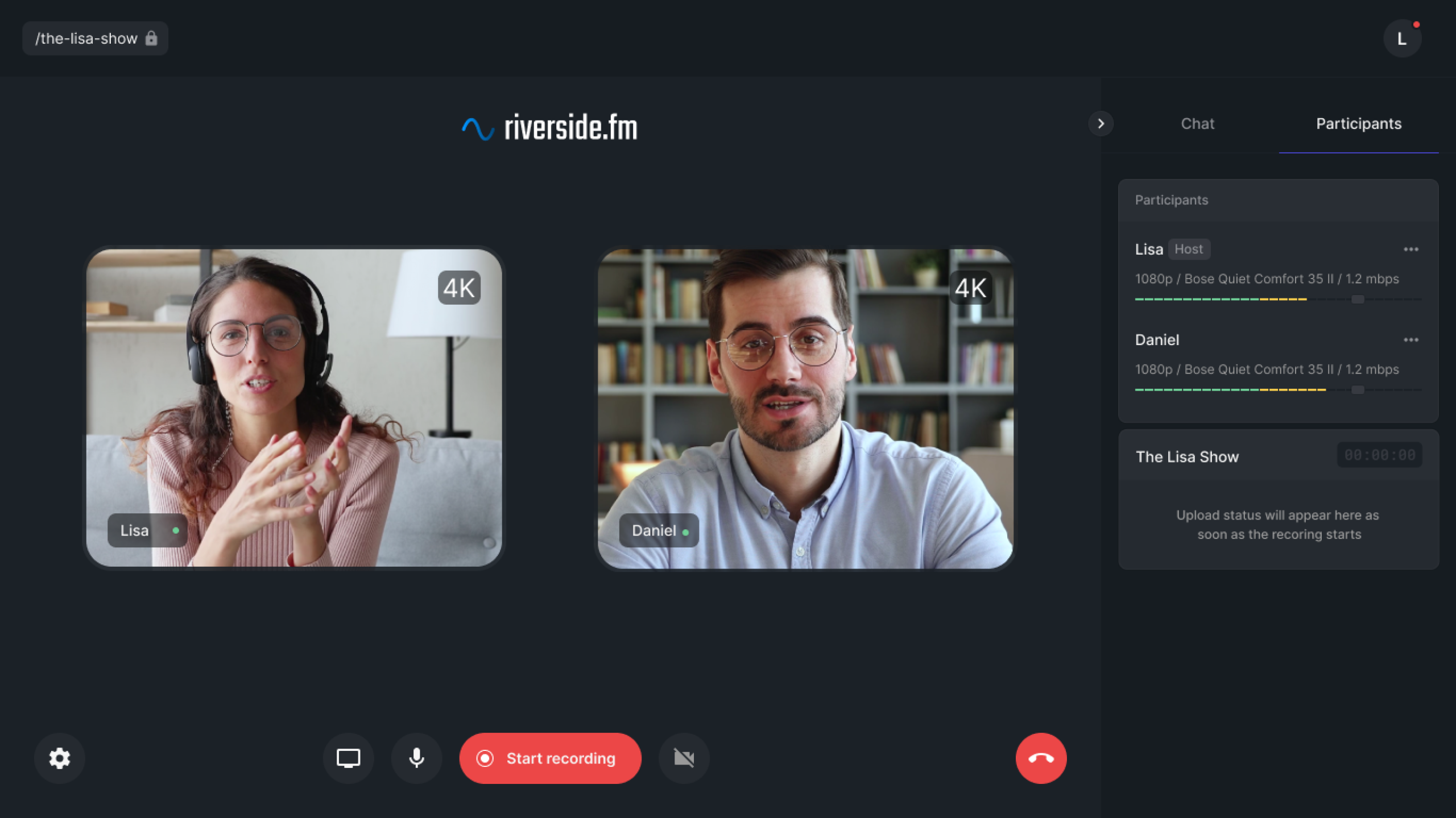
Zoom is terrible for podcasts because it compresses audio and depends on internet speed. Riverside records locally on each guest’s computer. This means you get crisp 4K video and WAV audio, even if the WiFi drops.
- Local Recording: Captures up to 4K video and 48kHz audio locally.
- Separate Tracks: Gives you separate audio/video files for every guest (crucial for editing).
- Magic Clips: AI automatically identifies the viral moments and creates vertical short clips for you.
- Text-Based Editing: They recently added a built-in editor similar to Descript.
🎯 Best For: Remote interviews where quality is the #1 priority.
💰 Pricing: Free plan available; Standard plan starts at $15/month.
Try Riverside →3. Podcastle
The Browser-Based WorkstationPodcastle is a simplified, web-based alternative to Descript. It is designed for beginners who want recording and editing in one place without downloading software.
- Magic Dust: Their AI noise cancellation feature.
- Revoice: Create a digital copy of your voice to generate audio from text.
- Hosting: You can publish directly to major platforms from Podcastle.
🎯 Best For: Beginners using Chromebooks or tablets.
Part 2: Best AI Tools for Marketing (Shorts)
Growth comes from short-form video (TikTok, Reels, YouTube Shorts). These tools automate the repurposing process.
4. OpusClip
The Viral Clip Generator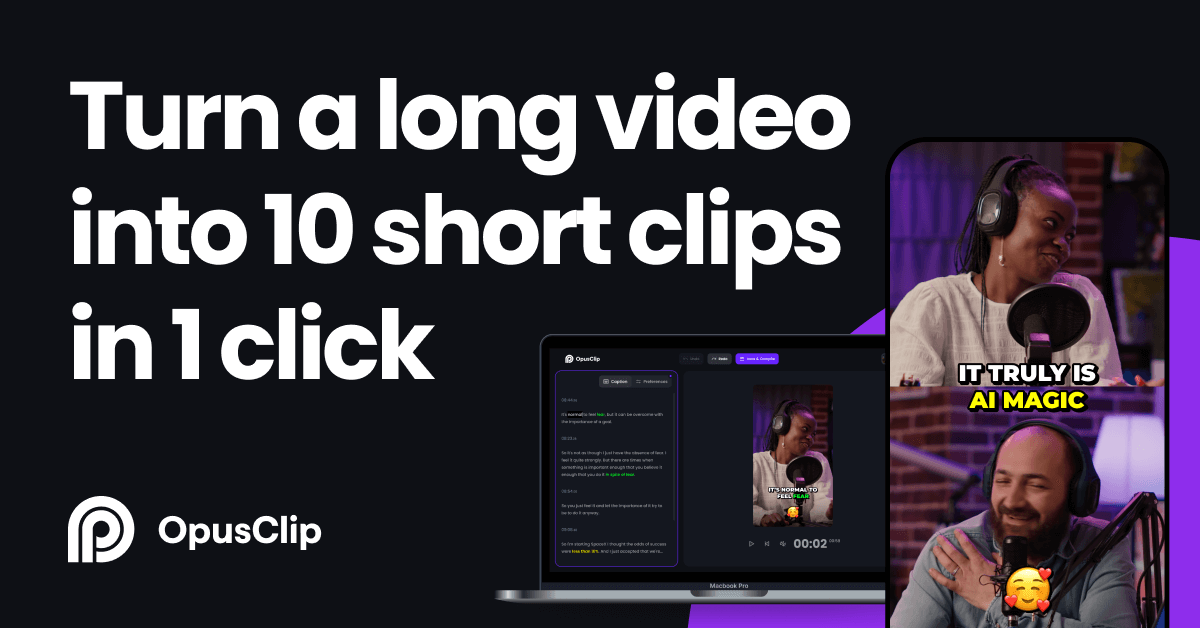
OpusClip is currently the leader in this space. You simply drop a YouTube link, and it generates 10+ short videos. But it’s not random; it creates a “Virality Score” for each clip based on AI analysis.
- AI Curation: Selects the best hooks automatically.
- Active Speaker Detection: Automatically crops the video to focus on who is speaking (perfect for interviews).
- AI Captions: Adds dynamic, colorful captions (Alex Hormozi style) that increase retention.
🎯 Best For: YouTubers and Video Podcasters who need daily content for TikTok.
💰 Pricing: Generous free trial; Pro starts at $19/month.
Try OpusClip for Free →5. Munch
The “Trend-Aware” ClipperMunch distinguishes itself by analyzing marketing trends. It looks at what is trending on social media *right now* and tries to find clips in your podcast that match those keywords.
- Trend Analysis: Matches your content with current SEO/Social trends.
- Platform Specific: Optimizes clips specifically for TikTok vs Instagram vs YouTube.
💰 Pricing: Starts at $49/month (Targeted at professional marketers).
6. Dumme
The Context-First ClipperWhile OpusClip focuses on “Hype,” Dumme focuses on “Story.” Its AI is trained to find clips that have a clear beginning, middle, and end, making them feel like standalone stories.
🎯 Best For: Storytelling podcasts or deep conversations.
Part 3: Best AI Tools for Show Notes & SEO
Show notes help you rank on Google. These tools turn your audio into written assets.
7. Swell AI
The Content Writer for Podcasters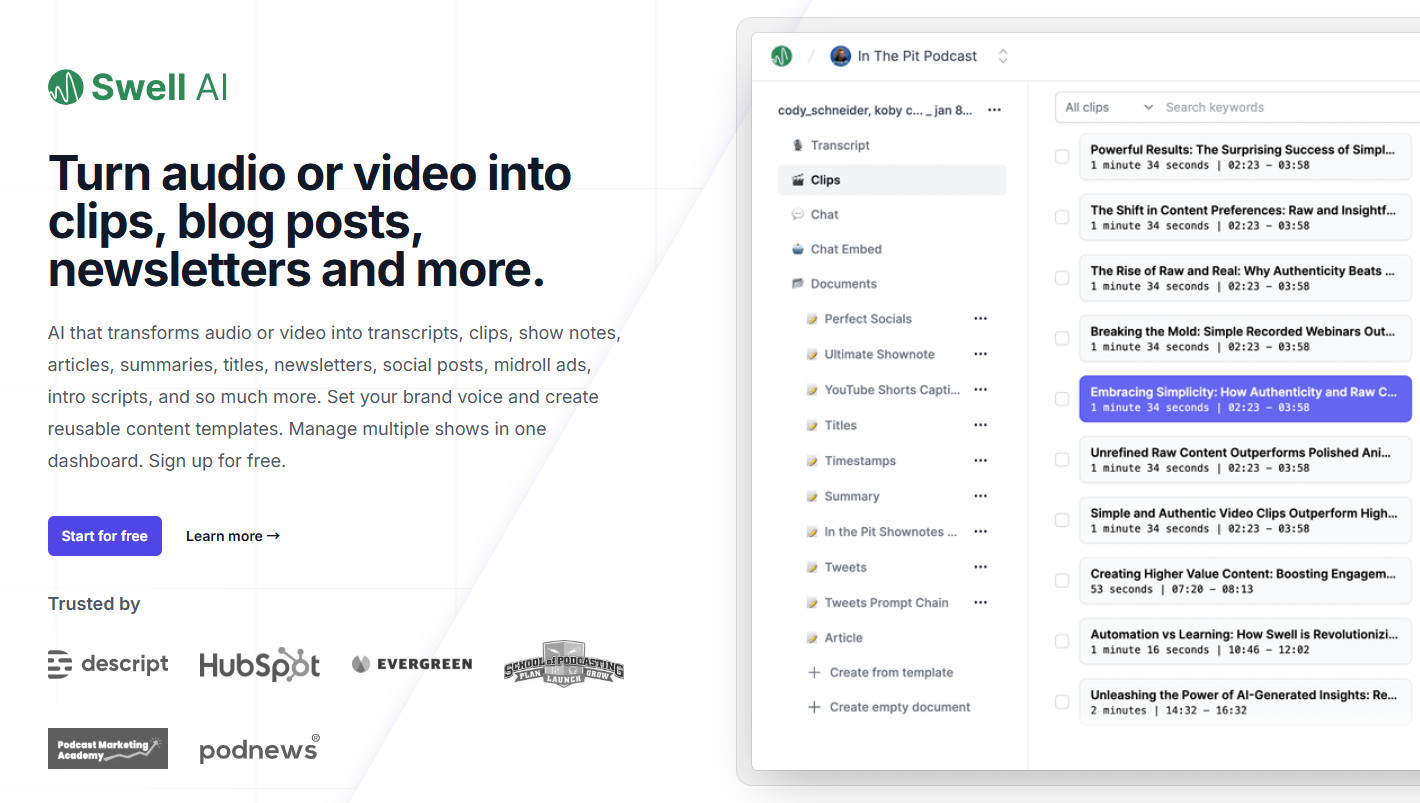
Swell AI is one of the most advanced writing tools. It doesn’t just summarize; it creates full content strategies. Upload an episode, and it gives you everything you need for a week of promotion.
- Content Suite: Generates Show Notes, timestamps, blog posts, LinkedIn articles, Twitter threads, and Newsletters.
- Custom Styles: You can teach it your writing style (e.g., “Write like Tim Ferriss”).
- Chat with Episode: You can ask the AI questions about your specific episode to generate custom clips.
🎯 Best For: Serious podcasters who want to build a blog/newsletter alongside their audio.
💰 Pricing: Starts at $29/month.
Check Swell AI →8. Castmagic
The Prompt-Based Asset GeneratorCastmagic excels at turning audio into usable assets. It splits the output into different sections like “Tweet Thread,” “Newsletter,” “Quotes,” and “Reels Script.” It’s extremely efficient.
🎯 Best For: Creators who are heavy on Twitter/X and LinkedIn.
9. CapSho
The Copywriter for MarketersCapSho is built by marketers. It focuses on psychology. It identifies the “Honey Pot” (the most intriguing part) of your episode and writes intros designed to get people to click “Play.”
🎯 Best For: Business podcasts selling a product or service.
Part 4: Best AI for Audio Enhancement
10. Adobe Podcast Enhance
A simple, powerful, drag-and-drop tool. Upload a bad recording from a phone, and it simulates a studio environment. It’s incredibly strong—sometimes too strong (it can make you sound like a robot if dialed too high).
💰 Pricing: Free version available; Pro included in Adobe Express.
11. Auphonic
The Engineering StandardAuphonic has been using AI before it was cool. It is the gold standard for “Loudness Normalization” (making sure your podcast isn’t too quiet or too loud). It also does intelligent leveling between speakers.
🎯 Best For: Final mastering before uploading to Spotify/Apple.
Other Notable Mentions
- 12. ElevenLabs: The most realistic AI voice generator. Perfect for creating intros/outros without recording yourself.
- 13. Buzzsprout: A hosting platform with “Cohost AI” built-in. It suggests episode titles and writes summaries inside your dashboard.
- 14. ChatGPT: Don’t forget the basics. Use it to brainstorm interview questions, research guest backgrounds, or outline episodes.
- 15. Notion AI: Ideal for organizing your podcast production schedule and scripting episodes within your workspace.
FAQs about AI Podcast Software
What is the best free AI podcast software?
Adobe Podcast Enhance is the best for fixing audio quality for free. For editing, Descript offers a generous free tier that includes 1 hour of transcription per month, which is enough for hobbyists.
Can AI replace a human podcast editor?
For technical tasks, yes. Tools like Descript and Auphonic can handle noise reduction, leveling, and cutting silence better and faster than a human. However, for creative storytelling and pacing, a human ear is still valuable.
How do I make viral podcast clips automatically?
OpusClip is the industry standard for this. It uses AI to identify the most engaging “hooks” in your episode and formats them for TikTok/Reels with captions.
Ready to Automate Your Workflow?
If you are overwhelmed by the choices, start here:
Start Your Free Trial with Descript →