Podcasting used to be hard work. You had to be a recording engineer, an editor, a writer, and a social media manager all at once.
But in 2025, AI has changed the game. There are now dozens of powerful tools that can clean your audio, write your show notes, and create video clips automatically.
The problem? Most of them are expensive. Tools like Descript or Jasper can cost $30+ per month.
The good news? You can build a professional-grade production stack for $0.
I have tested over 50 tools, and here is my curated list of the 10 Best Free AI Tools for Podcasters that you can use right now to grow your show.
1. PodTools.cc
Best For: Workflow Automation & Show Notes
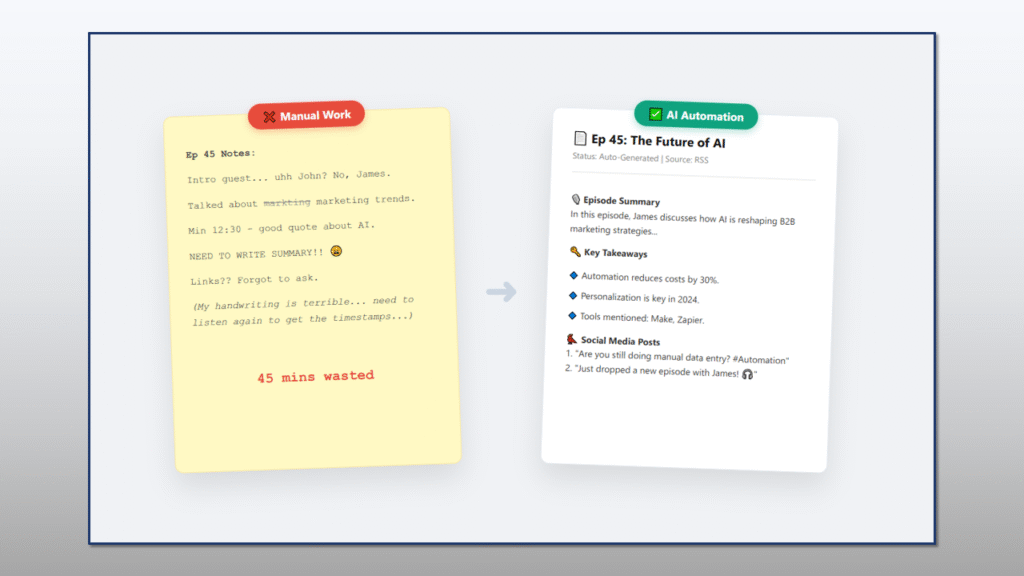
If you want to stop doing “busy work,” PodTools is your best friend. Unlike other tools that require you to manually upload files, PodTools provides free Make.com automation blueprints.
It connects your podcast RSS feed directly to OpenAI. The moment you publish an episode, it wakes up, listens to your audio, and automatically writes your show notes, timestamps, and social media posts.
- Key Features: Auto-generate Show Notes, RSS to LinkedIn automation, Guest asset management.
- Free Plan: The blueprints are 100% free to download. (Make.com has a generous free tier of 1,000 ops/month).
2. Adobe Podcast Enhance
Best For: Fixing Bad Audio
Recorded your guest over a bad Zoom connection? Or maybe you recorded in a noisy coffee shop? Adobe Podcast Enhance is magic. It uses AI to remove background noise and sharpen voice frequencies, making it sound like you recorded in a professional studio.
- Key Features: One-click noise removal, echo reduction.
- Free Plan: Free for anyone with an Adobe account (limits max duration per file).
3. ChatGPT (OpenAI)
Best For: Planning & Scripting
The classic. Every podcaster should have ChatGPT open. Use it to brainstorm episode titles, write interview questions for guests, or rephrase your bio.
Pro Tip: Don’t just use the web interface. Use our PodTools Blueprint to connect GPT-4 directly to your workflow via API.
- Free Plan: GPT-3.5 and GPT-4o are free to use via the web interface.
4. Headliner
Best For: Social Media Audiograms
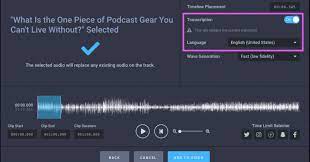
You can’t post MP3s to Instagram or TikTok. Headliner takes your audio and turns it into a video with a moving waveform. It can even auto-select the best “clip” from your episode to go viral.
- Free Plan: 5 free videos per month without watermarks (or unlimited with watermarks).
5. Canva
Best For: Cover Art & promotional Graphics
While not purely an audio tool, Canva’s new Magic Studio AI features are incredible for podcasters. You can generate episode artwork from text prompts or resize one image for Instagram Stories, YouTube Thumbnails, and Twitter banners instantly.
- Free Plan: Extremely generous. Access to thousands of templates and basic AI tools.
6. Auphonic
Best For: Leveling & Loudness Normalization
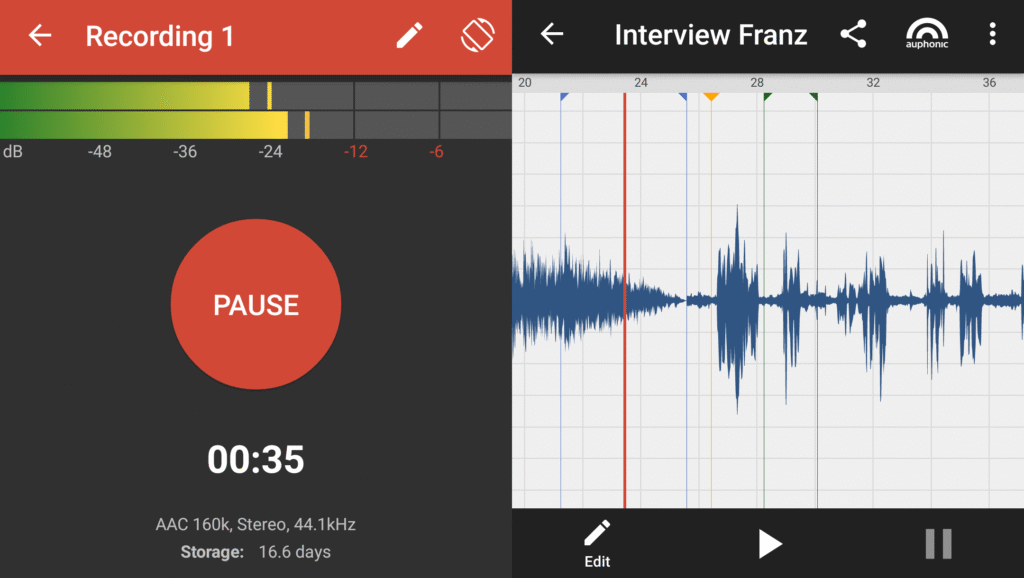
If your voice is loud but your guest is quiet, listeners will hate it. Auphonic is an AI post-production web tool that automatically balances levels, reduces noise, and hits the target loudness (-16 LUFS).
(Note: You can also use our browser-based Loudness Analyzer for a quick check.)
- Free Plan: 2 hours of audio processing per month for free.
7. Otter.ai
Best For: Transcription & Meeting Notes
Otter.ai is famous for transcribing Zoom meetings, but it works great for podcasts too. Upload your raw audio, and it will give you a searchable text transcript. Great for accessibility and SEO.
- Free Plan: 300 minutes of transcription per month (30 mins per conversation).
8. Riverside.fm
Best For: Remote Recording & Magic Clips
Zoom audio quality is often poor. Riverside records “locally” on your computer (and your guest’s computer), so internet dropouts don’t ruin the quality. Their AI “Magic Clips” feature also finds the best moments for TikTok automatically.
- Free Plan: Unlimited recording (with watermark on video exports, but audio is clean).
9. Spotify for Podcasters
Best For: Free Hosting & Analytics
Formerly Anchor.fm. This is the best place to host your podcast for free. They provide detailed analytics and even basic editing tools right in the browser.
- Free Plan: 100% Free unlimited hosting.
10. MacWhisper (or Whisper AI)
Best For: High-Accuracy Transcription
If you are on a Mac, MacWhisper uses OpenAI’s “Whisper” model to transcribe audio locally on your device. It is often more accurate than Otter.ai and totally free for the base model.
- Free Plan: Free version available with standard models.
Conclusion: What is the Best Stack?
You don’t need a budget to sound like a pro. Here is the ultimate $0 Podcast Stack for 2025:
- Record: Riverside.fm
- Fix Audio: Adobe Podcast Enhance
- Automate Work: PodTools.cc (for Show Notes & Publishing)
- Promote: Headliner
Start with automation. The more time you save on typing, the more time you have for recording. Download our free AI automation blueprints today and start scaling.