Why Is My Podcast Quiet on Spotify? (And How to Fix It)
You spent hours recording, editing, and perfecting your episode. You hit publish, open the Spotify app, and realize you can barely hear your own voice. Sound familiar?
If you are frantically searching why is my podcast quiet on spotify compared to professional shows like Joe Rogan or The Daily, you are not alone. In this 2500-word masterclass, we will decode Spotify’s hidden audio algorithms, explain the -14 LUFS standard, and show you exactly how to fix your volume levels permanently using our free audio loudness analyzer.
There is nothing more frustrating for an independent creator than the dreaded “volume drop.” You listen to your exported MP3 on your computer, and it sounds loud, punchy, and perfect. But the moment it goes live on streaming platforms, it sounds like a distant whisper. This forces your listeners to constantly crank up their car stereos, only to have their eardrums blown out when the next podcast or song starts playing.
This dramatic discrepancy in loudness is the number one reason independent podcasters lose subscribers in the first 60 seconds of an episode. So, why is my podcast quiet on spotify? The answer lies not in your microphone quality, nor in your editing software, but in a highly sophisticated piece of software technology called Audio Normalization, combined with industry-standard loudness penalties.
In this comprehensive guide, we will dive deep into the physics of digital sound, demystify what LUFS actually means, explore how streaming giants process your files, and provide you with a step-by-step technical workflow. By the end of this article, you will never have to ask “why is my podcast quiet on spotify” ever again.
Part 1: The Culprit – Spotify’s Normalization Algorithm
To truly understand why is my podcast quiet on spotify, we must first look at how Spotify handles the millions of audio files uploaded to its servers every single day. They cannot rely on creators to balance audio manually; they use machines to enforce standards.
⚙️ What is Audio Normalization?
According to the official Audio Normalization principles, streaming platforms aim to provide a seamless and consistent listening experience. By default, Spotify has an internal user setting called “Enable Audio Normalization” turned on. This algorithm scans your entire audio file and applies a mathematical gain filter to ensure every song, advertisement, and podcast plays at the exact same perceived loudness level.
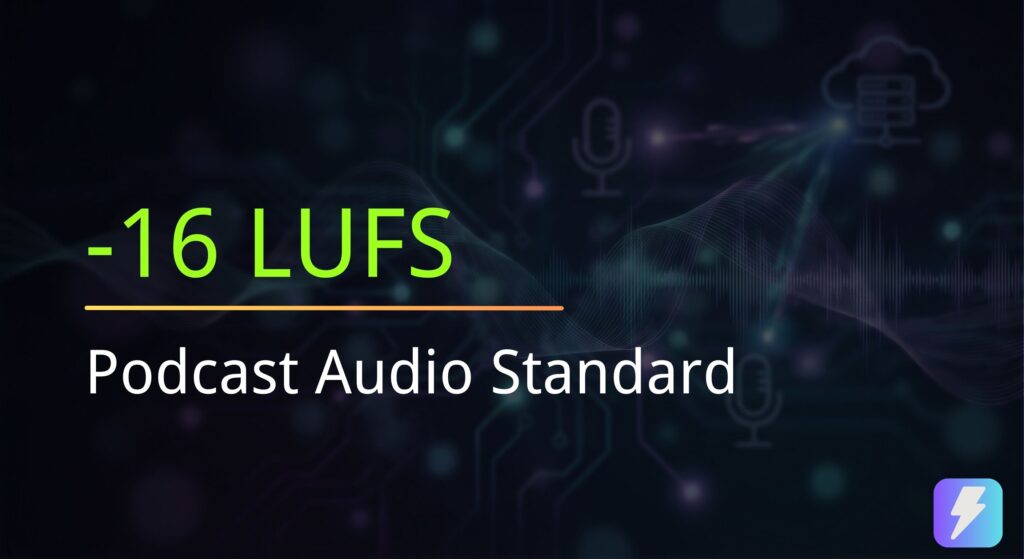
Spotify’s magic target number is -14 LUFS (Loudness Units relative to Full Scale).
If you upload a raw episode that is measured at -24 LUFS (which is incredibly common for unmastered, raw microphone recordings), Spotify’s algorithm detects this and says: “This file is 10 decibels too quiet. I need to boost it to reach -14 LUFS.”
However, the algorithm also scans for your “True Peak” — the absolute loudest momentary sound in your entire file, such as a sudden burst of laughter, a dropped pen, or a microphone bump.
Here is the crux of the issue: If you have a sudden, massive spike in your audio (a high True Peak), Spotify cannot boost your overall average volume without causing that sudden spike to digitally distort and clip. To prevent distortion, Spotify’s algorithm gives up and leaves your audio exactly as it is—faint and quiet.
This “True Peak limitation vs. Average Loudness” conflict is the primary technical reason answering why is my podcast quiet on spotify. Your overall average volume is far too low, but your untamed audio peaks are too high, trapping your file in a low-volume state.
Part 2: The Metrics You Must Know (LUFS & True Peak)
Before we can fix the issue of why is my podcast quiet on spotify, you need to understand the terminology displayed in professional audio tools. In the past, audio engineers used Peak meters or RMS (Root Mean Square) meters. Today, the broadcasting world revolves entirely around LUFS.
- LUFS (Loudness Units relative to Full Scale): This is the international standard designed to measure perceived human loudness. It doesn’t just measure the electrical signal; it calculates how the human ear actually hears different frequencies over time. When performing a podcast volume check, you want your Integrated LUFS (the average of the whole episode) to be exactly -14 LUFS for Spotify.
- True Peak (TP): This measures the absolute maximum limit of your sound wave between digital samples. If your True Peak exceeds 0.0 dB, your audio will clip and sound broken. The podcasting standard requires you to keep your True Peak at or below -1.0 dB to leave “headroom” for MP3 compression.
- Dynamic Range: This is the difference between your quietest whisper and your loudest shout. A podcast with too much dynamic range is exactly why is my podcast quiet on spotify—the loud shouts prevent the whispers from being turned up.
Part 3: Visualizing the Volume Gap
Let’s visually examine what happens when you skip the crucial audio mastering phase. Why do the top charts sound so robust while your show struggles to be heard?
(-23 LUFS / Faint)
(-14 LUFS / Punchy)
When a listener searches for answers regarding why is my podcast quiet on spotify, they are experiencing the frustrating gap between that grey bar and the green bar. To bridge this gap successfully, you cannot simply highlight your audio track and “turn the volume up” in your editing software. You must use professional audio engineering techniques to safely reach the target.
Part 4: How to Fix a Quiet Podcast (The 4-Step Mastering Cure)
Now that the science and algorithms behind why is my podcast quiet on spotify are clear, it is time to execute the cure. You do not need to hire a Grammy-winning audio engineer or purchase thousand-dollar software to fix this. You just need to follow these four systematic steps inside your Digital Audio Workstation (like Audacity, GarageBand, or Adobe Audition) before you upload.
Step 1: Apply Dynamic Range Compression
The root cause answering why is my podcast quiet on spotify is an uncontrolled dynamic range. Open your audio editing software and apply a “Compressor” effect to your vocal track.
A compressor acts like an automatic volume knob. It turns down the loudest peaks of your audio (like loud laughs) while leaving the quiet parts untouched. This “squashes” the audio closer together, making it highly consistent. For spoken word podcasts, a great starting point is setting your Ratio to 3:1, your Attack to fast (2ms), and adjusting the Threshold until you see about -3dB to -6dB of gain reduction.
Step 2: Apply a Hard Limiter
Once your audio is compressed, you must protect the “True Peak” we discussed earlier. Place a “Hard Limiter” effect at the very end of your audio processing chain (on your Master channel).
Set the Maximum Amplitude (or Ceiling) strictly to -1.0 dB. This creates an invisible brick wall that guarantees no matter how much you boost the overall volume in the next step, your audio will never digitally distort. Because Spotify’s algorithm loves files with a safe True Peak, this completely nullifies the “why is my podcast quiet on spotify” penalty trap.
Step 3: Normalize to -14 LUFS
With your peaks safely guarded by the limiter, it is time to add the final volume boost. Use the “Loudness Normalization” feature in your DAW and set the target to exactly -14 LUFS (If you are targeting Apple Podcasts specifically, you can use -16 LUFS, but -14 LUFS works excellently for both).
If your software only has standard “Amplify” instead of LUFS normalization, simply boost the track until it sounds robust, export it, and then measure the exact LUFS using our audio loudness analyzer.
Step 4: The Final Audit & Preview
When you boost your vocal volume, you inadvertently boost your background noise as well. This is the hidden danger of mastering. Before hitting publish, perform a thorough podcast volume check. Play the file back and listen for excessive room hiss or fan noise. If the noise floor is too high, you may need to apply a noise gate. Finally, ensure your total file size hasn’t ballooned by using our Audio Duration Calculator tool.
Part 5: The “Lazy” Way (Automated AI Mastering)
If reading about Compressors, Ratios, and Limiters makes your head spin, and you are still worried about asking “why is my podcast quiet on spotify,” you are in luck. In 2026, there are fully automated AI solutions available.
You can bypass manual DAW tweaking entirely by using AI audio mastering tools like Auphonic. Auphonic is specifically designed for podcasters. You simply upload your raw, quiet MP3 file, check a box that says “Target -14 LUFS,” and the AI automatically applies the mathematically perfect amount of compression, EQ, limiting, and normalization. It hands you back a broadcast-ready file in minutes.
Frequently Asked Questions (FAQ)
Why is my podcast quiet on Spotify but loud on Apple Podcasts?
If you are wondering why is my podcast quiet on spotify while it sounds perfectly fine on Apple, it is due to differing platform standards. Apple Podcasts officially targets -16 LUFS, which is slightly quieter than Spotify’s -14 LUFS standard. If you master your audio to Spotify’s louder -14 LUFS, Apple will gently turn it down, but if you master to -24 LUFS, Spotify’s strict limiter might refuse to boost it, creating a noticeable discrepancy.
Does Spotify automatically fix my volume if I forget?
Spotify will attempt to boost quiet tracks using its normalization algorithm. However, as explained, if your track has loud sudden noises causing a high True Peak, the algorithm will refuse to boost the volume to prevent digital distortion. This algorithm limitation is the definitive answer to “why is my podcast quiet on spotify.” You must compress your audio before uploading.
How do I perform a podcast volume check for free?
Before publishing any episode, you should always perform a final podcast volume check. You can do this by dragging your MP3 file into our audio loudness analyzer free tool. It will instantly calculate your Integrated LUFS and True Peak right inside your browser, giving you a green light if you meet the -14 LUFS standard.
End the Loudness War Today
You now possess the exact audio engineering knowledge required to ensure your listeners never touch their volume dials again. Stop asking why is my podcast quiet on spotify, and start auditing your audio levels like a true industry professional.
Run Your Free Loudness Audit Now →