Choosing the right AI software can completely transform your podcast production workflow, making the castmagic vs descript decision critical. When evaluating castmagic vs descript, creators are essentially comparing a dedicated content repurposing engine against a comprehensive, text-based digital audio workstation. Both platforms leverage artificial intelligence to save hours of manual labor, but they serve fundamentally different stages of the podcasting lifecycle.
In this comprehensive castmagic vs descript guide, we will break down the core features, pricing structures, and ideal use cases for both platforms. Whether you are a solo creator looking to automate show notes or a network producer needing precise audio editing, understanding the nuances of castmagic vs descript will help you make an informed investment for your show’s growth.
Understanding the Basics of castmagic vs descript
Before diving into the technical specifications of castmagic vs descript, it is crucial to define what each platform actually does. The debate of castmagic vs descript often comes down to your primary workflow bottleneck. Are you struggling to edit audio, or are you drowning in post-production marketing tasks?
What is Castmagic?
Castmagic is an AI-powered content repurposing tool designed specifically for podcasters. You upload your audio file or provide an RSS feed link, and the platform generates a transcript. From that transcript, its AI engine automatically drafts show notes, social media posts, newsletter content, and blog articles based on customizable prompts. It does not edit your audio; it multiplies your content output, which is a key factor in the castmagic vs descript comparison. For more insights on how it compares to other transcription tools, check out our detailed analysis of Otter.ai vs Castmagic.
What is Descript?
Descript is a robust audio and video editor that works like a word processor. Instead of looking at a traditional timeline, you edit your podcast by editing the text transcript. If you delete a word in the text, it cuts that segment from the audio. It also includes powerful AI features like Studio Sound for audio enhancement, filler word removal, and AI voice cloning. Read our full Descript Review for a deeper look into its editing capabilities, a major point in the castmagic vs descript discussion.
Core Features and Capabilities
How castmagic vs descript Handle Audio Editing
This is where the two platforms diverge completely in the castmagic vs descript matchup. Descript is built from the ground up for audio and video editing. It offers multi-track mixing, EQ, compression, and spatial audio tools. You can seamlessly merge audio clips, remove background noise, and master your episodes to industry loudness standards. If you need to check your audio levels before uploading, you can use our free Audio Loudness Analyzer to ensure your tracks meet Spotify and Apple Podcasts requirements.
Castmagic, on the other hand, has zero audio editing capabilities, a vital distinction in the castmagic vs descript evaluation. It is strictly a post-production text and marketing tool. You must record and edit your podcast using a DAW or an editor like Descript before bringing the final MP3 into Castmagic for repurposing.
Content Repurposing and Automation
If you are strictly looking at content output, castmagic vs descript offer vastly different approaches to automation. Castmagic excels here. Its Magic feature allows you to create custom AI templates. You can tell the AI to extract the top five quotes, write a Twitter thread, generate a LinkedIn poll, and draft an email newsletter, all from a single click.
Descript does offer some repurposing features, such as generating audiograms and video clips with animated captions. However, its AI text generation for show notes and blogs is generally less customizable and less robust than the dedicated prompt library found in competing tools. Descript focuses more on visual repurposing, while the other focuses on written repurposing, highlighting another castmagic vs descript contrast.
Transcription Accuracy and AI Models
Both tools rely on advanced speech-to-text engines, but their implementation differs in the castmagic vs descript framework. Descript uses a proprietary model optimized for editing, meaning it prioritizes word-level timestamps and speaker diarization to ensure cuts are precise. It handles overlapping speech reasonably well, though heavy crosstalk can still cause formatting issues.
Castmagic utilizes top-tier transcription APIs to generate a clean, readable document. Because its end goal is text generation rather than audio manipulation, the transcript is formatted more like an article, with automatic paragraph breaks and punctuation that feeds cleanly into its LLM prompts.
Video Podcasting and Visual Assets
If you produce a video podcast, the castmagic vs descript comparison shifts dramatically. Descript is a powerhouse for video. It allows you to edit multi-camera setups, add b-roll, apply visual effects, and export high-quality MP4s. Its Eye Contact AI feature can even adjust your gaze to look directly at the camera.
Castmagic does not process video files natively in the same way. While it can accept video uploads to extract the audio track for transcription, it will not help you edit the visual timeline or export video clips. For video podcasters, Descript is mandatory for the edit, while the other platform can still be used afterward to write the YouTube description and blog post.
User Interface and Learning Curve
Descript has a steeper learning curve because it is a full-fledged editing suite, which impacts the castmagic vs descript user experience. While its text-based editing is intuitive, understanding multi-track layering, audio effects, and video rendering takes time. Fortunately, there are extensive tutorials available, and our Free Podcast Guides & Tutorials can help you streamline your overall production process.
Castmagic is incredibly simple to use. The interface is essentially a dashboard of your episodes, a transcript viewer, and a template selector. If you can use a word processor and copy-paste text, you can master the platform in under ten minutes.
Pricing Breakdown: castmagic vs descript
Below is a detailed breakdown of castmagic vs descript across major pricing categories. Both operate on a subscription model, but their metrics for limits differ significantly.
| Feature | Castmagic | Descript |
|---|---|---|
| Free Tier | Limited (approx. 200 mins) | 1 hour of transcription, basic editing |
| Entry Paid Plan | ~$39/month (Starter) | ~$24/month (Hobbyist) |
| Pro Plan | ~$99/month (Unlimited audio) | ~$33/month (Pro, 30 hrs transcription) |
| Pricing Metric | Upload minutes / AI outputs | Transcription hours / AI features |
| Best For | High-volume content marketers | Audio/Video editors and producers |
Integration and Workflow Ecosystem
Descript integrates deeply with recording platforms like Riverside and SquadCast, giving it an edge in the castmagic vs descript workflow. It also exports directly to major hosting platforms.
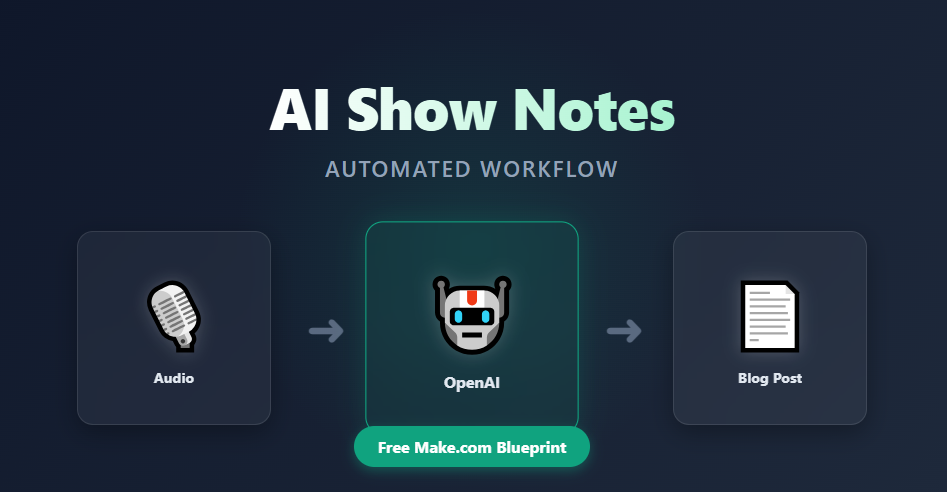
Castmagic integrates seamlessly with Zapier and Make.com, allowing you to build complex automation sequences. For example, when a new episode is published on your RSS feed, the platform can automatically generate a blog post and push it to your WordPress site, then trigger a Free AI Podcast Script Generator workflow for your next episode’s promo.
Who Should Choose Which Tool?
Ultimately, the choice of castmagic vs descript depends on your specific role in the podcasting ecosystem. Use the checklists below to identify your ideal match.
Choose Castmagic If:
- You already have a reliable audio editor or outsource your editing.
- Your main bottleneck is writing show notes, blogs, and social media captions.
- You want to maintain a consistent publishing schedule across multiple text platforms.
- You prefer a hands-off, automated approach to content repurposing.
Choose Descript If:
- You need to cut out filler words, long pauses, and mistakes from your raw audio.
- You produce video podcasts and need to edit visual timelines alongside audio.
- You want to use AI audio enhancement to fix poor microphone quality.
- You prefer an all-in-one workspace for editing and basic clipping.
Frequently Asked Questions
Which is better for beginners: castmagic vs descript?
For absolute beginners who just want to record and edit without learning complex software, Descript’s text-based editor is highly intuitive, shifting the castmagic vs descript scale. However, if you are a beginner who already has an editor and just wants to automate marketing, the repurposing tool is much easier to learn.
Can I use both tools together in my podcast stack?
Absolutely. In fact, combining them is the ultimate podcast automation stack and the best way to leverage castmagic vs descript together. Use Descript to record, edit, and master your audio to perfection. Once your episode is finalized, export the MP3 and upload it to the repurposing engine to instantly generate your show notes, social media captions, and email newsletters.
Which tool offers better AI voice cloning?
Descript offers a feature called Overdub, which allows you to clone your voice and type words to generate new audio. This is incredible for fixing mistakes without re-recording. The competing platform does not offer audio voice cloning, as it is strictly a text-based repurposing engine.
How do they handle multiple speakers?
Both platforms support speaker diarization. Descript lets you manually assign speaker labels and colors, which is vital for editing multi-person interviews. The other platform also identifies speakers, formatting the transcript with clear name tags so the AI understands who said what when generating quotes.
Final Verdict
We hope this castmagic vs descript comparison helps you streamline your production workflow. If your primary goal is to manipulate audio, fix mistakes, and produce a polished master file, Descript is the undisputed champion. According to Descript’s official documentation, their text-based editing paradigm fundamentally changes how creators interact with audio timelines.
On the other hand, if your audio is already perfect and you need to multiply your content output across blogs, newsletters, and social media, Castmagic is the superior choice in the castmagic vs descript showdown. As highlighted on the Castmagic platform, turning a single 30-minute conversation into ten distinct pieces of content is the key to sustainable podcast growth.
Ready to optimize your show further? Ensure your final files meet the loudness standards recommended by Spotify for Podcasters before you hit publish, and explore our free tools to automate your podcast metadata today.
Make castmagic vs descript Easier
Use Audio Joiner to put the steps from this guide into practice directly in your browser.