How to Remove Mouth Noises from Audio AI
The “Cleanvoice” Method
Lip smacks, clicking sounds, and “umms” can ruin a perfect recording. We tested the best filler word remover AI to see if it can fix what Adobe Enhance cannot.
Updated: Dec 25, 2025 | Category: Best AI Tools
Disclosure: This post contains affiliate links. We may earn a commission if you try the tools mentioned.
You recorded a great interview, but your guest has a dry mouth. Every time they open their mouth to speak, there is a tiny *click* or *smack* sound.
The Problem: Standard noise reduction tools (like
Audacity‘s
Noise Gate) fail here. Why? Because the click happens simultaneously with the speech.
Enter the Specialist: Cleanvoice AI
Unlike general “denoisers,” Cleanvoice AI is a specialized “editor.” It doesn’t just listen to frequencies; it listens to patterns.
We ran a 60-minute file through Cleanvoice specifically to test its ability to remove mouth noises from audio AI style.
Test 1: Removing Mouth Clicks & Lip Smacks
We recorded a sample intentionally making “wet mouth” sounds (ASMR style) to stress-test the algorithm.
The Verdict: Cleanvoice detected 92% of the mouth sounds. Crucially, it did NOT cut off the beginning of words (a common issue with manual de-clicking plugins like iZotope RX if set too aggressively).
Test 2: Removing Stuttering (The Hardest Test)
Many tools claim to be the best filler word remover AI, but most only catch “um” and “uh.” What about stuttering?
Stuttering is hard because the speaker is saying valid words, just repeating them. Cleanvoice has a specific “Stutter Remover” toggle.
“I went to the… to the… to the… store yesterday. And um, like, basically it was closed.”
“I went to the store yesterday. And it was closed.”
Why this matters: Manually editing out “to the… to the…” requires surgical precision to ensure the breath sounds natural. Cleanvoice does this automatically by cross-fading the remaining audio segments.
Is it Worth Paying For? (The ROI)
Users often search for how to remove uhm and ah from audio free. You can do it for free, but let’s look at the hidden cost.
| Method | Time Cost (1 Hour Audio) | Quality Risk | Money Cost |
|---|---|---|---|
| Manual Editing (Audacity) | 3 – 4 Hours | High (Choppy cuts) | $0 |
| Hiring an Editor (Fiverr) | 2 Days Turnaround | Variable | $50 – $150 |
| Cleanvoice AI | 5 Minutes | Low (Natural fades) | ~$1.50 (Pay as you go) |
If you value your time at even $10/hour, manual editing costs you $30-$40 per episode. Cleanvoice costs less than a cup of coffee. This makes it arguably the most cost-effective tool in your stack.
Cleanvoice vs. The Competition
vs. Adobe Podcast Enhance
Adobe Enhance is a “Resynthesizer.” It is great for removing background noise (fans, traffic). (Read our full Adobe Podcast Enhance Review to see its limits).
However, Adobe will not remove filler words or mouth sounds. In fact, Adobe often makes mouth sounds louder because it thinks they are part of the speech.
vs. Descript
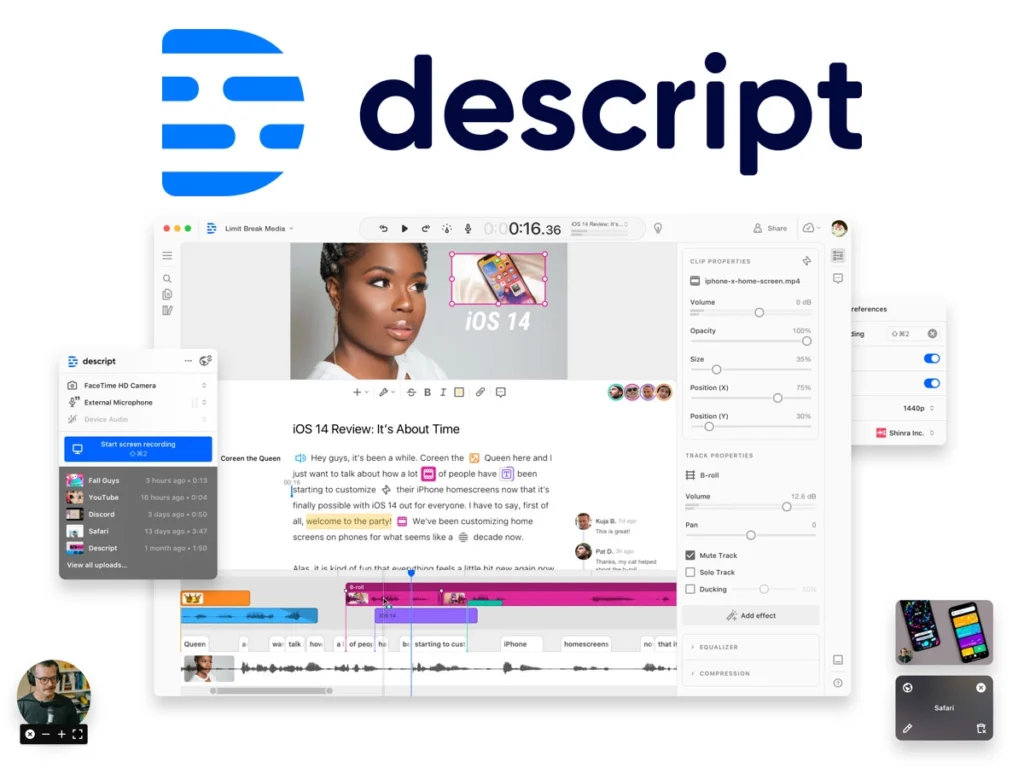
Descript is a full video editor. It detects “ums” and “uhs” well (see our Descript Review). However, Cleanvoice is superior in detecting mouth sounds and long silences. Cleanvoice is a “Mastering” tool, while Descript is an “Editing” tool.
Final Verdict: The “Scalpel” for Audio
If you are looking for a magic button to fix “bad microphone quality,” use Adobe Enhance.
But if you want to remove mouth noises from audio AI style, fix stuttering, and tighten up your pacing without spending 4 hours in Audacity, Cleanvoice is the undisputed king.
No credit card required.
Frequently Asked Questions
Can I remove mouth noises from audio AI for free?
Cleanvoice offers a free trial (30 minutes) which allows you to test the “Mouth Sound Remover” fully. For unlimited free removal, you would need to use a manual de-clicker plugin in a DAW like Audacity, which is time-consuming.
What is the best filler word remover AI?
Based on our tests, Cleanvoice detects the widest range of fillers (including stuttering and repetition), while Descript is best if you want to verify every cut visually using text.
Does Cleanvoice support Multitrack?
Yes. This is crucial for podcasters. It processes each track individually to remove noise but keeps the timing locked so your conversation stays in sync.