
Check Podcast Feed Compatibility: The Ultimate Audit Guide Before Launch
Ensure your RSS feed meets Apple, Spotify, and YouTube specifications in 2026 with our comprehensive XML feed checklist.
You’ve recorded the pristine audio, designed the eye-catching cover, and written the perfect show notes. But as you click “Submit” on Apple Podcasts Connect, a dreaded red error message appears: “Unable to parse RSS feed.” If this sounds familiar, you are dealing with a classic Podcast Feed Compatibility issue.
This is the “Last Mile” problem in modern podcasting. A simple technical glitch in your XML tags, a misconfigured audio enclosure, or incorrect cover art dimensions can delay your launch for weeks. In this extensive guide, we will perform a deep-dive Podcast Feed Compatibility audit to ensure your show updates smoothly across Apple, Spotify, Amazon Music, and all major directories.
Achieving flawless cross-platform syncing is not just about avoiding errors; it is about maximizing your show’s reach, ensuring episode updates push instantly, and providing the best listening experience possible.
1. Technical XML Foundations: The Core of Your Feed
A podcast RSS link is essentially a structured XML file that tells directories where to find your MP3 files and metadata. To achieve true Podcast Feed Compatibility, your feed must adhere strictly to the W3C RSS 2.0 specifications and include specific itunes tags required by the industry.
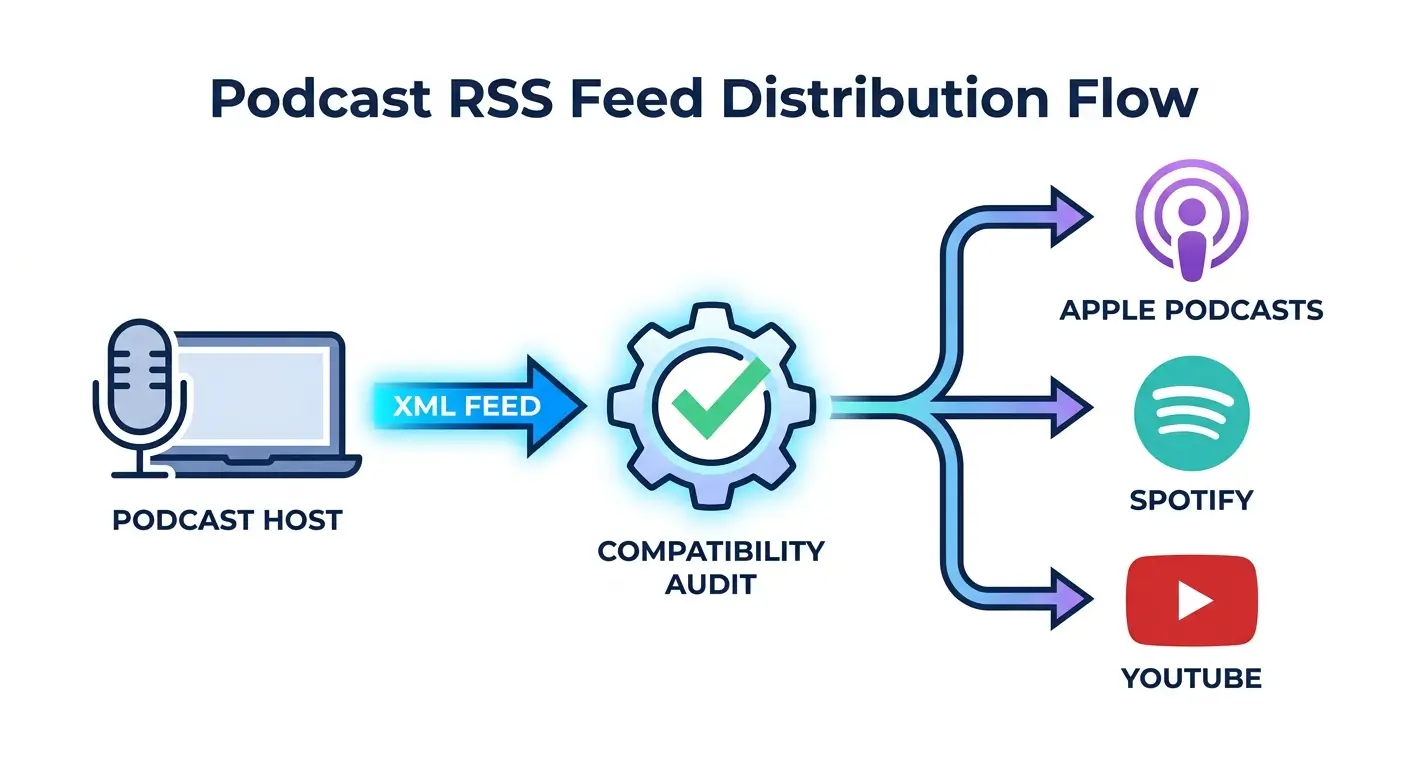
Every time you publish an episode, directories crawl your feed. If the code syntax is broken, the crawler stops. Maintaining a healthy feed requires verifying your channel-level tags. Here is what a perfectly structured feed looks like under the hood:
<title>Your Awesome Show</title>
<itunes:author>Your Name</itunes:author>
<itunes:category text=“Technology”/>
<itunes:explicit>no</itunes:explicit>
</channel>
Example of essential tags that ensure perfect Apple validation.
2. Fixing Apple Podcast Feed Compatibility Errors
Apple Podcasts remains the “Gold Standard” for podcast hosting requirements. If your feed works there, it will generally work flawlessly on Spotify, Pocket Casts, and Overcast. However, even minor deviations from Apple’s official requirements will trigger validation failures.
Another common issue affecting your feed’s stability is the presence of special characters (like ampersands “&” or copyright symbols) in your show notes without proper CDATA wrapping. Ensuring your system handles these characters correctly is vital for long-term Podcast Feed Compatibility.
3. Audio Quality & Hosting Standards
Many creators mistakenly believe that passing directory checks is only about code. In reality, the quality and format of the files enclosed in your feed matter immensely. Platforms analyze your MP3 files for byte-range support, bitrate, and loudness limits.
For instance, if your audio file is too quiet or peaks constantly, Spotify may apply aggressive normalization, ruining the listener’s experience. To maintain the highest level of Podcast Feed Compatibility regarding audio standards, you must master LUFS (Loudness Units relative to Full Scale). We highly recommend running your final export through a reliable LUFS meter online audio analyzer to ensure it hits the industry standard of -14 to -16 LUFS.
Furthermore, hardware issues can indirectly harm your show’s performance. If listeners constantly complain about background buzzing, it can lead to high drop-off rates and algorithmic demotion. Before finalizing your tracks, make sure you know how to fix static in your microphone. Clean audio guarantees that the technical perfection you’ve worked so hard for isn’t wasted on a poor recording.
4. The Role of Editing in Feed Health
How you produce your episode directly impacts the metadata generated in your RSS link. Modern directory syncing relies heavily on accurate ID3 tags embedded within the MP3 file itself. The title, artist, and album art stored in the audio file must match the XML data exactly.
Using outdated software can lead to corrupted file headers, causing issues when the crawler tries to read the file size. To avoid this, use modern, standard-compliant production tools. Check out our comprehensive guide on the best podcast editing software available this year. These modern tools automatically format your MP3s with the correct ID3 metadata, securing your Podcast Feed Compatibility right from the export process.
5. Cover Art Rules: Beyond the Pixels
Your artwork isn’t just a promotional picture; it’s a strict technical requirement for Apple and Spotify. If your cover art violates the metadata rules, platforms will refuse to cache it, leaving your show invisible.
| Requirement | Specification | Impact on Podcast Feed Compatibility |
|---|---|---|
| Dimensions | 3000 x 3000 pixels | Mandatory for modern displays. Anything smaller triggers a warning. |
| File Size & Format | Under 500KB, JPEG/PNG | Heavy files timeout the RSS crawler, breaking episode updates. |
| Color Space | RGB (never CMYK) | CMYK images render as broken links, causing instant rejection. |
6. Using a Diagnostic Validator for Podcast Feed Compatibility
Most basic validators only check if the XML code is structurally sound. However, a professional diagnostic tool focuses entirely on actual directory compliance.
“Feed validation is not just about XML syntax; it’s about directory compliance. A link can be valid XML but still be completely rejected for missing an explicit tag.”
When verifying your submission, our system scans for:
- Missing itunes:explicit tags: A mandatory field that halts the approval process if left empty.
- Broken Audio Enclosures: We verify if the MP3 URL allows byte-range requests, a strict requirement for Apple.
- Duplicate GUIDs: Ensuring every episode has a unique Global Identifier so platforms don’t skip your latest release.
7. Podcasting 2.0 and Future-Proofing
As we navigate 2026, the definition of a compliant feed is expanding. The introduction of the Podcasting 2.0 namespace means new tags are becoming standard. To maintain top-tier Podcast Feed Compatibility in the future, your setup should ideally support:
<podcast:transcript>– Crucial for SEO and accessibility.<podcast:chapters>– Enhances user experience on modern apps.<podcast:person>– Standardizes credits for hosts and guests.
Ensuring your host supports these tags will guarantee your show’s availability for years to come.
Verify Your Podcast Feed Compatibility Today
Don’t risk a failed launch or delayed episodes. Use our professional diagnostic tools to audit your XML code, check your audio levels, and ensure 100% compliance across all networks.
Start Free Compatibility Audit →
Pingback: Podcast RSS Validation: Transistor.fm Guide 2026