Why Is There Static in My Microphone? The Ultimate Fix Guide
You invested in great gear, prepared your script, and hit record. But upon playback, a relentless buzzing, hissing, or crackling sound ruins the entire track.
If you are frantically searching “why is there static in my microphone,” you have arrived at the definitive answer. In this deeply technical yet accessible masterclass, we will diagnose the physics of audio noise and permanently eliminate it from your studio.
Run a Live Noise Diagnosis →Of all the technical hurdles content creators face, audio degradation is the most damaging. Viewers might forgive a slightly blurry 1080p video, but they will click away within seconds if the audio hurts their ears. The question “why is there static in my microphone” is asked by thousands of podcasters, streamers, and remote workers every single day.
The frustration stems from the fact that “static” is not a single disease; it is a symptom. The underlying cause could be a physical hardware failure, invisible electromagnetic waves traveling through your room, or a hidden software setting deep within your computer’s operating system.
In this 2500-word comprehensive guide, we are going to explore the scientific reasons behind audio interference. By the end of this article, you will not only know the answer to “why is there static in my microphone,” but you will also possess the engineering knowledge to fix it permanently.
🔍 The Short Answer: Why Is There Static in My Microphone?
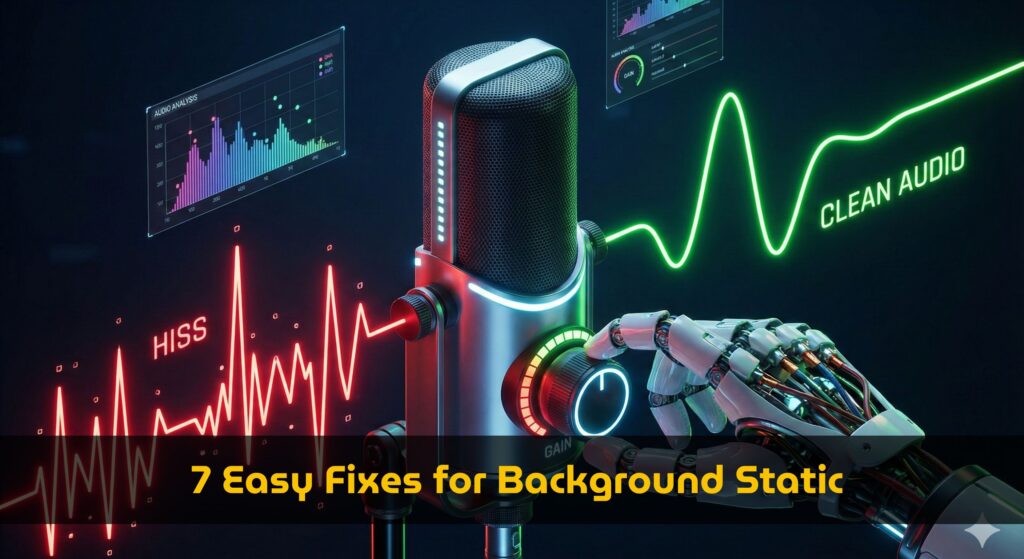
If you are wondering why is there static in my microphone, it is almost always caused by one of three things: 1) Electromagnetic Interference (EMI) picking up signals from nearby devices like cell phones or routers, 2) A Ground Loop causing electrical hum due to dirty power supplies, or 3) Incorrect Gain Staging where your digital volume is boosted too high, amplifying the microphone’s natural noise floor.
Phase 1: Diagnosis & Measurement
Before you start unplugging cables or buying expensive new audio interfaces, you must quantify the problem. Audio engineering relies on data, not guessing. To truly answer “why is there static in my microphone,” we must measure its amplitude.
Is it a loud, aggressive buzz peaking at -20dB, or is it a subtle, high-frequency hiss hiding at -50dB?
When you use our Noise Level Meter, you are establishing your “Noise Floor.” For a professional podcast or voiceover, an acceptable noise floor rests between -50dB and -60dB. If your room is completely silent but your meter is bouncing wildly around -30dB, you have a severe electrical or hardware issue generating that static.
Phase 2: The Physical Realm (Hardware Causes)
When someone asks an audio engineer “why is there static in my microphone,” the engineer’s first instinct is always to check the physical connections. The journey your voice takes from the microphone capsule to your computer’s motherboard is fraught with physical perils.
1. Faulty Cables & Connectors
Cables degrade over time. Inside an XLR or USB cable are delicate copper wires. If a cable is bent, stepped on, or rolled over by an office chair repeatedly, the internal shielding breaks. When the shielding breaks, the cable acts as an open antenna, instantly sucking in static noise. If wiggling your cable causes the static to crackle louder, throw the cable away.
2. The USB Hub Trap
A major reason people wonder why is there static in my microphone is improper USB routing. Plugging a USB condenser mic (like a Blue Yeti) into a cheap, unpowered USB hub—or the front panel of a PC case—is a disaster. These ports share power with LED lights and cooling fans. The mic will pick up the electrical “whine” of your computer’s components.
The Invisible Enemy: Electromagnetic Interference (EMI)
If you have perfect cables but still ask “why is there static in my microphone,” the culprit is often invisible. Welcome to the world of EMI.
📡 The Science of EMI
According to physics, Electromagnetic Interference (EMI) occurs when an external electromagnetic field affects an electrical circuit. Your microphone cable is an electrical circuit. If your Wi-Fi router, smartphone, or a high-voltage power brick is resting near your audio interface, your audio cables will literally absorb those radio frequencies and convert them into audible static or a rhythmic clicking noise.
The Fix for EMI: Physical distance is your best defense. Move your smartphone at least 3 feet away from your microphone and audio interface. Never let an audio cable (XLR or USB) run perfectly parallel to a thick AC power cable. If they must cross paths behind your desk, make sure they cross at a perpendicular 90-degree angle to minimize magnetic coupling.
The 60Hz Hum: Ground Loops
Sometimes the static isn’t a high-pitched hiss, but a low, continuous buzzing sound. When creators search “why is there static in my microphone” and describe it as a “hum,” they are usually dealing with a Ground loop.
A ground loop happens when two pieces of interconnected equipment (e.g., your PC and your powered studio monitors or audio interface) are plugged into different electrical wall outlets that have slightly different ground potentials. Electricity takes the path of least resistance, and sometimes that path is right through your audio cables, resulting in a loud 60Hz hum.
The Fix for Ground Loops: Plug all your interconnected audio gear and your computer into the exact same high-quality power strip or power conditioner. This ensures they share the exact same ground potential.
Phase 3: The Digital Realm (Software & OS Causes)
What if your hardware is flawless? Your cables are premium, your phone is in another room, and your power is clean. Yet, you still find yourself asking, “why is there static in my microphone?”
In 2026, the operating system itself is frequently the saboteur. Both Windows and macOS are designed for casual consumers doing Zoom calls, not for professional audio engineers recording high-fidelity podcasts.
1. Gain Staging: The Most Misunderstood Concept
To understand why is there static in my microphone, you must understand “Gain Staging.” Every microphone has an inherent noise floor (self-noise).
If you turn the physical gain knob on your audio interface down to 10%, your voice will be recorded very quietly. If you then go into your recording software and digitally boost the volume by 400% so people can hear you, you are also boosting that underlying noise floor by 400%. The result is a massive waterfall of static hiss.
The Fix: Maximize your analog hardware gain first. Turn the knob on your interface up until your normal speaking voice hits around -12dB. Rely on hardware amplification, not digital software amplification. (You can check your final loudness targets using our Volume Normalizer & Loudness Analyzer).
2. Windows Automatic Gain Control (AGC)
Windows users frequently suffer from aggressive software static. Windows features a hidden setting called AGC. When you stop speaking for a few seconds, AGC thinks, “The microphone is too quiet!” and automatically cranks up the digital sensitivity to maximum. This instantly raises the room noise, causing a sudden surge of static.
- Open Windows Control Panel > Hardware and Sound > Sound.
- Click the Recording tab, right-click your mic, and select Properties.
- Go to the Custom or Levels tab and uncheck “AGC” or “Microphone Boost.”
- Go to the Enhancements tab and check “Disable all sound effects.”
3. Sample Rate Mismatches
A digital click, pop, or robotic static sound often points to a sample rate mismatch. If your Windows sound settings are set to record your microphone at 44,100 Hz, but your recording software (like Audacity or OBS) is set to process audio at 48,000 Hz, the computer struggles to convert the audio in real-time. This mathematical struggle results in digital static. Ensure your OS settings and software settings perfectly match (48,000 Hz / 24-bit is the modern podcasting standard).
Phase 4: Post-Production AI Rescue
Sometimes you don’t realize there was a problem until the recording session is completely over. You sit down to edit, put on your studio headphones, and the horrifying realization hits you. You ask yourself, “why is there static in my microphone recording, and how do I save this interview?”
You cannot ask a high-profile guest to re-record a 2-hour interview because of a cable hiss. Fortunately, we live in the era of Artificial Intelligence.
🤖 The “Magic” of AI Audio Restoration
If your audio is already ruined by static, traditional EQ and Noise Gates won’t be enough. You need generative AI.
As we detailed in our comprehensive Adobe Podcast Enhance Review, AI tools no longer just “filter” noise; they actually analyze the static, separate your vocal frequencies from the interference, and reconstruct your voice in a simulated studio environment.
While tools like Adobe Enhance or Cleanvoice can miraculously remove static, they are not a substitute for good recording practices. Relying too heavily on AI can strip the natural “warmth” from your voice, making you sound slightly metallic. Always aim to solve the hardware and software issues first.
Frequently Asked Questions (FAQ)
Why is there static in my microphone only when I speak?
If you only hear the issue when you speak, you are likely clipping (peaking) your audio, or you have a noise gate set improperly. When you ask “why is there static in my microphone only during speech,” it means your digital gain is too high, causing the audio waveform to flatten and distort at the top. Lower your input volume.
Does using an audio interface stop static?
Yes, upgrading from a USB microphone to an XLR microphone with a dedicated audio interface significantly reduces noise. Interfaces have superior pre-amps and better internal shielding, which directly answers “why is there static in my microphone” by isolating the analog signal from the computer’s noisy internal components.
Can a bad internet connection cause static?
If you are recording locally, internet speed has zero impact. However, if you are recording over Zoom, Skype, or Discord, a poor internet connection causes “packet loss.” The software attempts to stitch the missing data together, which sounds like digital robotic static. This is why we always recommend using local recording tools like Riverside (see our Best AI Podcast Tools guide).