Editorial Disclosure: This comprehensive review is reader-supported. We may earn an affiliate commission if you purchase a subscription through our external links, at absolutely no additional cost to you.
The Great Shift: Why Traditional DAWs Are Evolving
Before diving into our exclusive rankings for the Best Podcast Editing Software, we must address the massive technological shift in the audio industry. Historically, podcasters relied heavily on traditional Digital Audio Workstations (DAWs) such as Adobe Audition, GarageBand, or Pro Tools. These tools are undeniably powerful, but they operate on an archaic, destructive, waveform-based editing model. You had to physically highlight a soundwave, guess where a sentence ended, and press delete.
Today, Artificial Intelligence has introduced Text-Based Audio Editing. Modern AI-driven platforms—which now dominate the conversation around the Best Podcast Editing Software—ingest your audio, transcribe it into a highly accurate text document in seconds, and allow you to edit the podcast by simply deleting the text on your screen.
However, editing the audio is only half the battle. The true Best Podcast Editing Software workflow in 2026 also involves strict pre-publishing checks—like mastering your loudness levels (LUFS) and validating your RSS feeds—which we will cover extensively using our free proprietary suite.
The Top 6 Best Podcast Editing Software Suites (Deep Dive)
Rather than overwhelming you with dozens of mediocre choices, we narrowed the market down to the six absolute best tools, categorized by their specific strengths and ideal use cases.
1. Descript
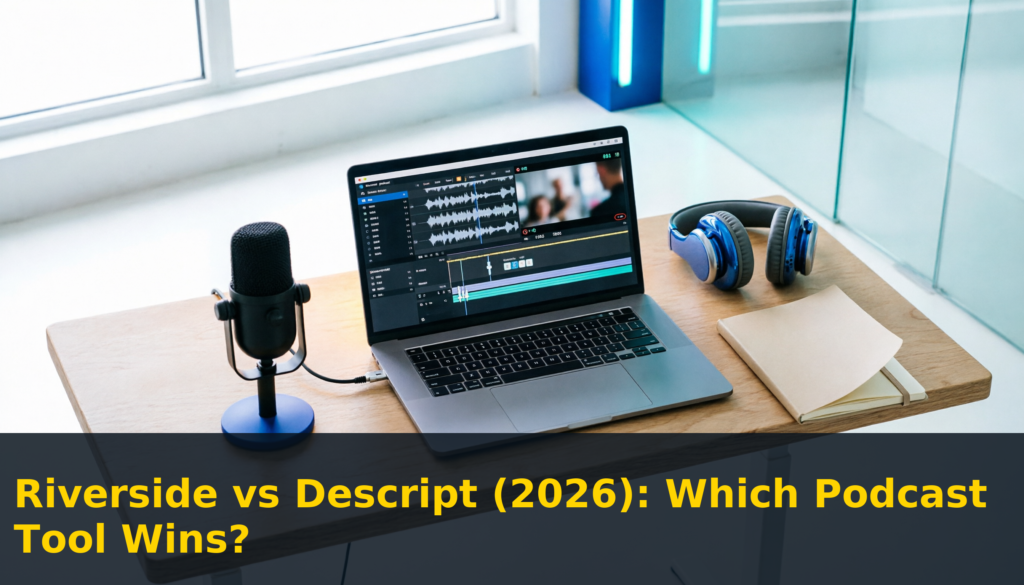
When audio professionals and beginners alike discuss the Best Podcast Editing Software, Descript is universally recognized as the undisputed king of the hill. It did not just improve podcast production; it completely pioneered the text-based workflow. You upload your audio or video file, Descript transcribes it with terrifying accuracy, and you edit the timeline by treating it exactly like a Word document.
🔥 Killer Feature: The “Underlord” AI Assistant
Descript’s newest AI engine, Underlord, handles the tedious work for you. With a single click, it can automatically detect and remove every filler word, “um,” and awkward silence. Furthermore, its legendary Studio Sound feature uses neural networks to make a cheap $20 USB microphone sound indistinguishable from a broadcast-quality setup.
Because of its unparalleled speed, Descript easily earns its title as the Best Podcast Editing Software for creators who value their time. It also features Overdub, a technology that clones your voice, allowing you to type missing words directly into the audio track.
- Unbeatable text-based editing speed cuts production time by hours.
- Studio Sound is the best single-click audio repair tool on the market.
- Excellent multi-track video editing capabilities for YouTube podcasts.
- The desktop application can be highly resource-heavy on older laptops.
- The browser-based version lacks the full processing power of the native app.
Pricing: Free Tier available. Paid plans start at $12/month.
Start Using Descript for Free →2. Podcastle
If you own a Chromebook, a Linux machine, or simply refuse to install heavy, CPU-draining software on your primary computer, Podcastle is undeniably the Best Podcast Editing Software for cloud-based users. It is a full-fledged, multi-track DAW that runs entirely within Google Chrome, shifting the heavy processing burden to their remote cloud servers.
🔥 Killer Feature: “Magic Dust” Noise Cancellation
While Descript has Studio Sound, Podcastle counters with Magic Dust. During our rigorous testing, we found Magic Dust to be incredibly forgiving and natural-sounding. It preserves the organic warmth and breath of the human voice while effortlessly stripping away aggressive background noises like air conditioning hums and keyboard typing.
As a top contender for the Best Podcast Editing Software, Podcastle also serves as a remote recording studio. You can send a link to your guests, and Podcastle will record their audio locally on their machine before uploading it to the cloud, ensuring internet hiccups do not ruin your interview quality.
3. Riverside.fm
Historically, Riverside.fm was known strictly as a remote recording tool used by giant media networks. However, their built-in AI text-based editor has become remarkably powerful. If your podcast is primarily a “Video-First” show intended for YouTube, Riverside is arguably the Best Podcast Editing Software to streamline your visual pipeline.
🔥 Killer Feature: AI “Magic Clips”
Once your remote interview finishes recording in uncompressed 4K video and lossless 48kHz WAV audio, Riverside’s AI immediately analyzes the transcript context. With one single click, it generates multiple vertical short-form clips (optimized for TikTok, Instagram Reels, and YouTube Shorts), complete with dynamic, colorful AI captions that track the active speaker perfectly.
By eliminating the need to hire a separate video editor to hunt for viral moments, Riverside solidifies its position as the Best Podcast Editing Software for content marketers and video creators.
4. PodTools.cc
You might have cut your audio perfectly in Descript, but if your audio levels are wrong, Spotify will penalize you. This is why PodTools.cc is an essential companion to any platform claiming to be the Best Podcast Editing Software. We built a suite of free, browser-based tools to handle the critical “Pre-Publishing” phase that traditional editors ignore.
🔥 Killer Features: Loudness Normalizer & RSS Builder
Our Volume Normalizer instantly calculates your Integrated LUFS and True Peak levels, telling you exactly how much gain you need to reach the industry-standard -14 LUFS target. Furthermore, if you are self-hosting, our free Podcast RSS Feed Generator builds a flawless, Apple-compliant XML file in seconds.
Beyond mastering and RSS feeds, PodTools.cc offers an incredibly fast Audio Joiner to merge your intro, outro, and main interview files securely in your local browser. You can also use our ID3 Tag Editor to losslessly embed your cover art directly into your MP3 files before uploading. No list of the Best Podcast Editing Software is complete without this vital auditing suite.
Explore All Free PodTools →5. Adobe Podcast (Enhance Speech)
Adobe Podcast Enhance is unique on this list. You cannot cut or splice clips together here. However, it earns a highly respected spot on every Best Podcast Editing Software list because it is the ultimate “Pre-Editing” recovery tool for budget creators.
Powered by Adobe’s enterprise-grade AI synthesis models, Enhance Speech actually re-synthesizes your voice. You simply drag and drop a terrible, echoey smartphone recording, and Adobe hands you back a studio-quality voiceover. It is the perfect companion to use before importing your files into a full editor.
6. Auphonic
If Adobe is the “Pre-Editor,” Auphonic is the ultimate “Post-Editor.” You do not use Auphonic to cut out your mistakes. Instead, after you have finished slicing your episode in your chosen Best Podcast Editing Software, you upload the final export to Auphonic.
Auphonic acts as your automated, robotic audio engineer. It perfectly balances the volume levels between a loud host and a quiet remote guest. It applies intelligent leveling and ensures your final MP3 precisely meets broadcast loudness standards.
🚀 The Ultimate Post-Production Workflow
Exporting your final MP3 from the Best Podcast Editing Software is only half the battle. If you upload a quiet, unoptimized file with a broken RSS feed, your show will fail. You must run your exported files through our rigorous publishing pipeline.
Step 1: The Spotify Loudness Audit (LUFS)
Spotify and Apple strictly enforce a -14 LUFS to -16 LUFS loudness standard. If your exported audio is too quiet, streaming platforms will forcefully compress it, ruining your dynamic range. Learn the engineering science behind this penalty in our definitive guide: Podcast Loudness Standards (LUFS Explained). Before publishing, you must drag your final MP3 into our free Audio Loudness Analyzer to visually preview your exact broadcast volume.
Step 2: The Apple Ecosystem Compliance Check
Apple Podcasts is the master directory of the entire industry. However, they have the strictest ingestion rules in the world. From 3000×3000 pixel artwork requirements to mandatory email tags, missing one element will result in a fatal rejection. Before hitting submit, rigorously audit your data using our Apple Podcasts RSS Feed Requirements: Ultimate Checklist. Furthermore, ensure your artwork fits the UI safe zones perfectly without getting cropped by using our Podcast Cover Art Checker .
Step 3: Generate Your Platform XML Code
You cannot just email an MP3 to streaming giants; you must syndicate your show via an XML RSS feed. If you want to bypass expensive monthly hosting fees and self-host your audio files, you need to generate your own code. Read our exact step-by-step tutorial on how to Submit Your Podcast to Spotify using an RSS Generator. You can build your compliant, iTunes-ready XML file instantly and for free using our Podcast RSS Feed Generator [6]. Afterwards, always scan your new link with our Podcast RSS Validator to guarantee directory compatibility.
Buying Guide & FAQ
What is the overall Best Podcast Editing Software in 2026?
Based on our extensive testing of AI transcription accuracy, filler-word removal, and overall workflow speed, Descript remains the overall Best Podcast Editing Software for desktop users on Mac and PC. However, Podcastle securely takes the crown for web-based, cloud-processed browser editing, making it ideal for Chromebooks.
Can I auto-edit a podcast for free?
Yes, you absolutely can. Many of the tools on our Best Podcast Editing Software list offer generous free tiers. Descript offers 1 hour of free transcription per month, Podcastle offers unlimited basic remote recording, and Adobe Enhance Speech is completely free for basic audio noise reduction. Furthermore, our entire PodTools.cc auditing suite is 100% free to use.
Do AI podcast editors ruin audio quality?
If misused, aggressive AI noise cancellation can strip away high frequencies, making voices sound robotic, compressed, or unnatural. The top Best Podcast Editing Software tools, like Podcastle’s “Magic Dust” and Descript’s “Studio Sound,” now utilize advanced neural networks that specifically preserve the organic warmth of human vocal frequencies while intelligently isolating and deleting background noise. Always double-check your final exported audio using the PodTools Loudness Analyzer to ensure your dynamic range remains intact.