With hundreds of millions of active listeners globally, Spotify has aggressively positioned itself as the undisputed king of spoken-word audio. Whether you are launching a true-crime investigative series, a B2B marketing show, or a casual comedy hour, if your Podcast is not on Spotify, it practically does not exist in the modern media landscape.
However, many beginners hit a frustrating technical brick wall when they try to upload their very first MP3 file. They quickly realize that Spotify does not allow you to directly “upload” audio files to their servers in the traditional sense (like uploading a video to YouTube). Instead, Spotify acts as an expansive directory. They read a special piece of web code that tells their servers where your audio files live on the internet.
This special code is called an RSS feed. If you are not a web developer, writing this XML code from scratch can be an absolute nightmare. A single syntax error will result in a total rejection from Spotify’s database. This is exactly why utilizing a reliable spotify rss feed generator has become the industry standard for independent creators who want to self-host or maintain total control over their intellectual property without paying monthly fees.
In this definitive guide, we will break down the syndication architecture, help you audit your pre-launch assets, and show you exactly how to use a professional spotify rss feed generator to get your show approved in minutes.
Phase 1: Building the Code (The Crucial First Step)
Before we look at Spotify’s dashboard, we must create the architecture. RSS (Really Simple Syndication) is the universally accepted format for podcast distribution.
However, you cannot use just any generic blog RSS tool. Spotify requires specific “iTunes Namespace” tags (such as <itunes:explicit> and <itunes:category>) to categorize and display your show correctly. A dedicated spotify rss feed generator is programmed to automatically inject these mandatory tags, ensuring 100% compliance.
The absolute first step to submit your show to Spotify is having a fully compliant RSS link. You can build your XML code instantly and for free using our dedicated Spotify RSS Generator tool below.
Open Spotify RSS Feed Generator →How to Use the Spotify RSS Feed Generator Step-by-Step:
- Input Show Metadata: Open the spotify rss feed generator and enter your Podcast Title, Author Name, and a compelling Description. Spotify indexes these fields for their search engine, so make sure they contain your primary SEO keywords.
- Set the Official Categories: The spotify rss feed generator includes a dropdown menu of the official 2026 Apple/Spotify category list. Selecting the right sub-category (e.g., “Business > Entrepreneurship”) dictates which charts you will climb on the Spotify app.
-
Add Your First Episode (The Enclosure): Paste the direct URL of your hosted MP3 file into the tool. The spotify rss feed generator will automatically calculate the file size and format the crucial
<enclosure>tag required for streaming playback. -
Export and Host: Click generate, download the resulting
rss.xmlfile, and upload it to your web server or a free static host like GitHub Pages. You now possess your “Golden URL” (e.g.,https://yoursite.com/rss.xml).
Phase 2: The Pre-Flight Asset Audit
Even if you use a perfect spotify rss feed generator, you must ensure your digital assets (audio and images) meet Spotify’s strict 2026 quality guidelines. If you submit a feed with broken assets, Spotify’s automated bots will flag and reject your submission instantly.
🎨 1. Compliant Cover Art
Spotify requires your artwork to be a perfect square, typically between 1400×1400 and 3000×3000 pixels in JPEG or PNG format. Before generating your feed, run your image through our Podcast Cover Art Checker to ensure your logo isn’t getting cropped by Spotify’s UI overlays.
🔊 2. Audio Loudness Standards
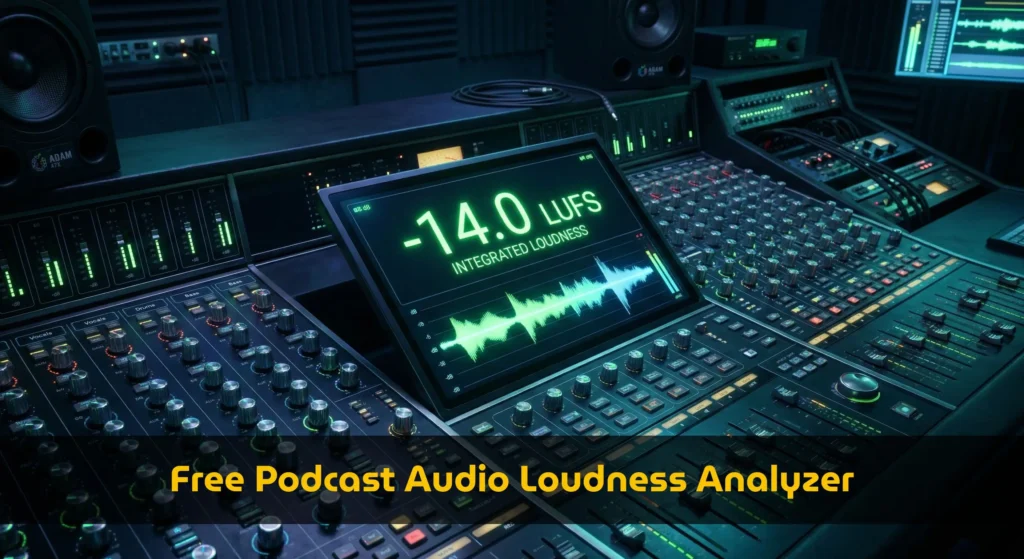
Spotify enforces a strict loudness penalty. If your audio is not mastered to -14 LUFS, they will compress it, ruining your dynamic range. Use our Audio Loudness Analyzer to preview your normalized volume and ensure it meets broadcast standards.
Phase 3: Claiming Your Show on Spotify
Now that you have your code ready from the spotify rss feed generator, it is time to officially claim your real estate on Spotify’s dashboard.
Create a Spotify for Podcasters Account
Navigate to podcasters.spotify.com. You can log in using your standard Spotify listener account. Once inside the dashboard, click on the button that says “Add your podcast.” Ensure you select the option that says “I already have a podcast” (since you just built the feed yourself).
Paste Your Generated RSS Link
Spotify will present a text box asking for your RSS feed link. Paste the URL you created using the spotify rss feed generator here. Spotify’s bots will instantly crawl the link. If you used our generator, it will seamlessly pass the syntax check, and your cover art and episode titles will populate on the screen as a visual preview.
Verify Ownership (The Email Check)
Spotify needs to prove you actually own this content. They will read the <itunes:email> tag that our spotify rss feed generator embedded into your XML file, and send an 8-digit verification code to that specific email address. Retrieve the code from your inbox and paste it into the dashboard.
Add Country and Language Data
Finally, Spotify will ask for a few additional details not necessarily included in the RSS feed, such as the primary country of origin and the language spoken. Fill these out accurately, hit “Submit,” and your job is officially done!
How long does it take? Unlike Apple Podcasts, which relies on human review and can take up to 48 hours, Spotify’s ingestion engine is highly automated. If you used a high-quality spotify rss feed generator to ensure zero XML coding errors, your show will typically appear live on the Spotify app within 1 to 3 hours.
Phase 4: Unlocking Spotify Analytics & Video Features
Submitting your feed is only the beginning. Once your show is live, the Spotify for Podcasters dashboard becomes your command center. Because you generated your own feed via a spotify rss feed generator, you bypass third-party hosting constraints and get data directly from the source.
Deep Audience Demographics
Spotify provides the most granular demographic data in the audio industry. You can see the age, gender, and geographic location of your listeners. More importantly, Spotify offers “Retention Graphs.” You can view exactly at what second listeners stop paying attention or skip forward, allowing you to refine your intro scripts and content structure for future episodes.
The Shift to Video Podcasts
In 2026, Spotify is heavily pushing Video Podcasts to compete directly with YouTube. If you record video alongside your audio, you can upload MP4 files directly through the Spotify for Podcasters dashboard to replace your audio-only episodes. This dual-format strategy is currently heavily favored by Spotify’s discovery algorithms, giving video creators a massive organic boost in search results.
⚡ Automate Your Feed Updates
Once your spotify rss feed generator file is live, you don’t need to submit it to Spotify ever again. Every time you want to publish a new episode, you simply add a new <item> block to your XML file and save it on your server. Spotify automatically checks your URL every few hours for updates.
Want to fully automate this? You can use automation platforms to monitor a Google Drive folder and automatically update your XML feed and push it to your web host whenever a new MP3 is dropped in.
Frequently Asked Questions (FAQ)
Why do I need a specific spotify rss feed generator?
While standard RSS feeds work for blogs, Spotify requires specific podcasting metadata, such as <itunes:image> for cover art and <enclosure> tags for audio streaming. A dedicated spotify rss feed generator automatically formats these specific elements flawlessly, guaranteeing that your submission won’t be rejected by their parsing bots.
Do I have to pay Spotify to host my podcast?
No. Submitting your podcast to Spotify is 100% free. By using a spotify rss feed generator to create your own XML file and hosting it on a free platform like GitHub Pages or an Amazon S3 bucket, you can distribute your podcast to Spotify, Apple, and Amazon Music without ever paying a monthly hosting fee.
What happens if I make a mistake in the XML code?
If you manually type the XML and miss a single closing tag, Spotify will instantly crash when trying to read your feed and your new episodes won’t update. This is why relying on a visual spotify rss feed generator is much safer than hand-coding; the generator validates the schema before outputting the final file.
How often does Spotify update my podcast feed?
Once submitted, Spotify’s servers cache your RSS feed. They typically ping your URL generated by the spotify rss feed generator every 2 to 4 hours to check for new episodes. However, if you use the Spotify for Podcasters dashboard, you can sometimes manually trigger a refresh if an episode needs to go live immediately.
Ready to Broadcast to Millions?
Don’t let technical hurdles keep your voice from being heard. Generate your compliant XML code in minutes and get your show onto Spotify today.
Launch Spotify RSS Feed Generator →